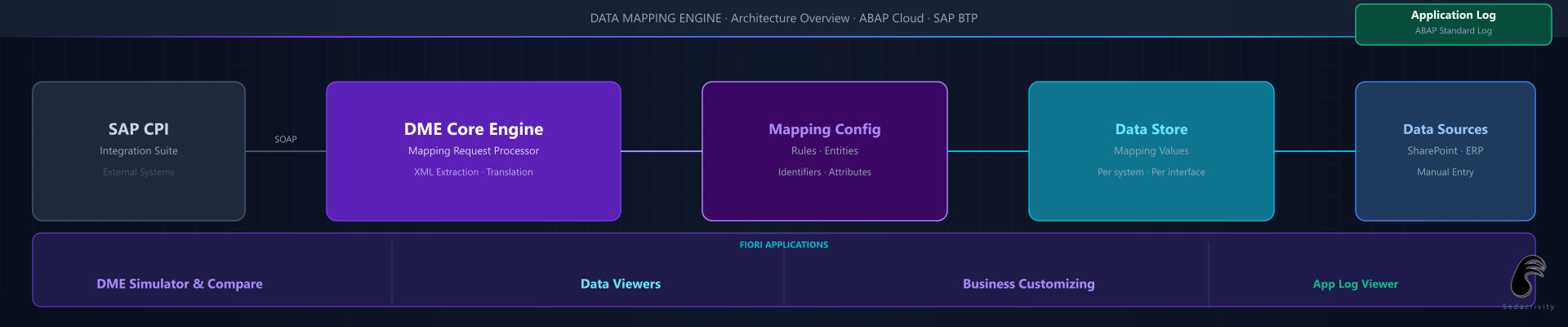
Project Overview
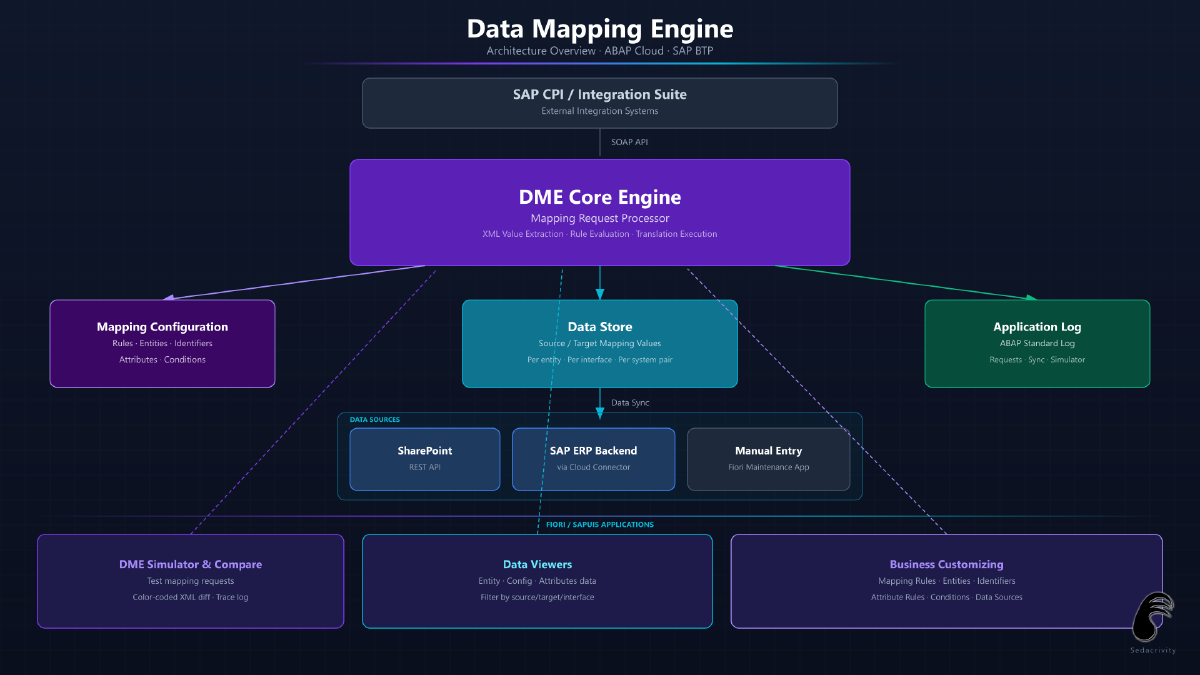
A custom framework for rule-based value mapping and translation of XML message content across integrated business systems.
In complex integration landscapes, messages flowing between systems — via SAP CPI or other middleware — often carry values that are meaningful in the source system but must be translated before they are meaningful in the target. Material numbers, vendor IDs, plant codes, order types and other business keys frequently differ between the sending and receiving system.
The Data Mapping Engine provides a configurable, maintainable solution for this problem. Integration flows call the DME API during message processing to resolve and translate values on the fly, using maintained mapping rules that define the relationship between source system values and their target equivalents.
Concepts
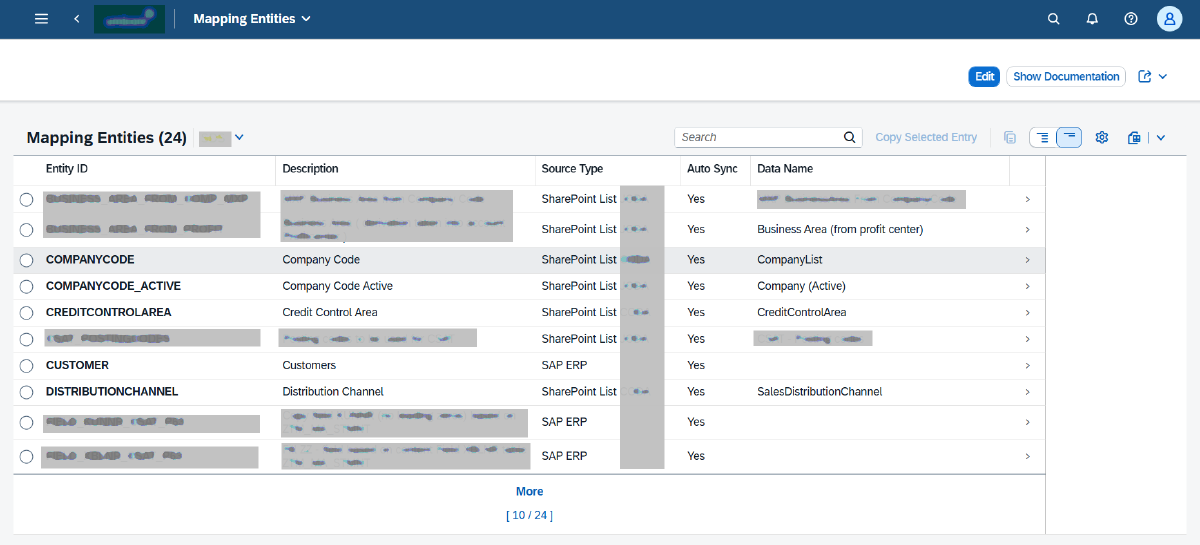
- Mapping entities: The central concept of the DME. A mapping entity represents a functional business entity that requires translation — for example a Customer, a Material or a Bank Account. Mapping rules and data sources are defined per entity, not per individual field.
- Mapping entity interface identifiers: Each mapping entity can have one or more identifiers per interface, since different interfaces may use different XML tags — or even combinations of multiple tags — to refer to the same mapping entity. The engine resolves the correct identifier based on the interface context before performing the lookup.
- Mapping attributes: Additional data elements linked to a mapping entity that must also be translated when the mapping entity itself is translated. Attribute values are resolved using the original source or target value of the mapping entity as the lookup key — so when a Company Code is mapped, its corresponding Organisational Units and Divisions are automatically resolved and translated alongside it. Like the mapping entity itself, attribute values are sourced via the same data source framework.
- Attribute rules: Configuration that defines which attributes are linked to a mapping entity and how they are resolved. This keeps related multi-value translations consistent and centralised, avoiding separate lookup calls for each related field in the integration flow.
- Mapping entity conditions: An optional condition field can be configured per mapping entity, also extracted from the XML message content. This condition value acts as an additional criterion alongside the source/target system combination when looking up the correct mapping data — allowing the same mapping entity to resolve differently depending on context.
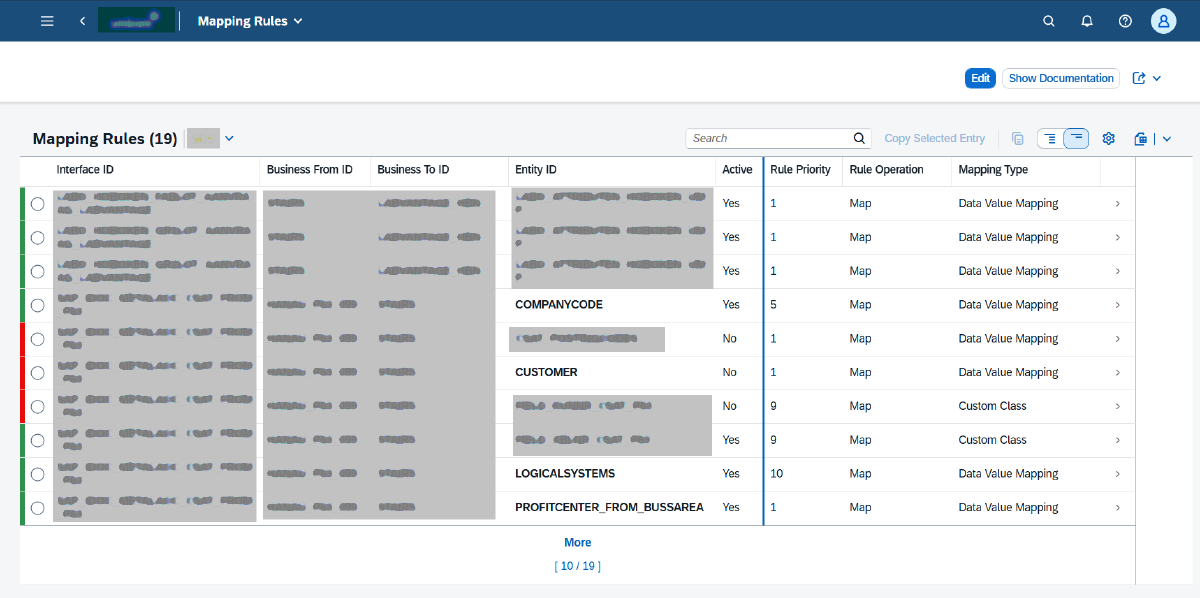
- Rule-based mapping: Mapping rules for a given interface, source and target system combination determine what XML content will be translated — covering both mapping entities and their mapping attributes. Source values are extracted directly from the XML message content based on the configured rules. Once extracted, the rule configuration determines how the translation is executed: either via a data source lookup using the default mapping type, or via a custom class containing bespoke logic.
- Fallback handling: Configurable behavior when no mapping rule is found — pass-through, error, or default value — allowing graceful handling of unmapped entries.
- Multi-system support: A single DME instance serves multiple source/target system combinations across all mapping entities, keeping all mapping rules in one place rather than scattered across integration flows.
- Data source framework: An open, extensible data source layer manages how mapping values are populated in the database. Rather than requiring all values to be manually entered, the engine can extract and synchronise values automatically from external systems. Extraction runs are either scheduled via application jobs or triggered manually from within the Business Customizing app. New data source types can be implemented without touching the core mapping logic.
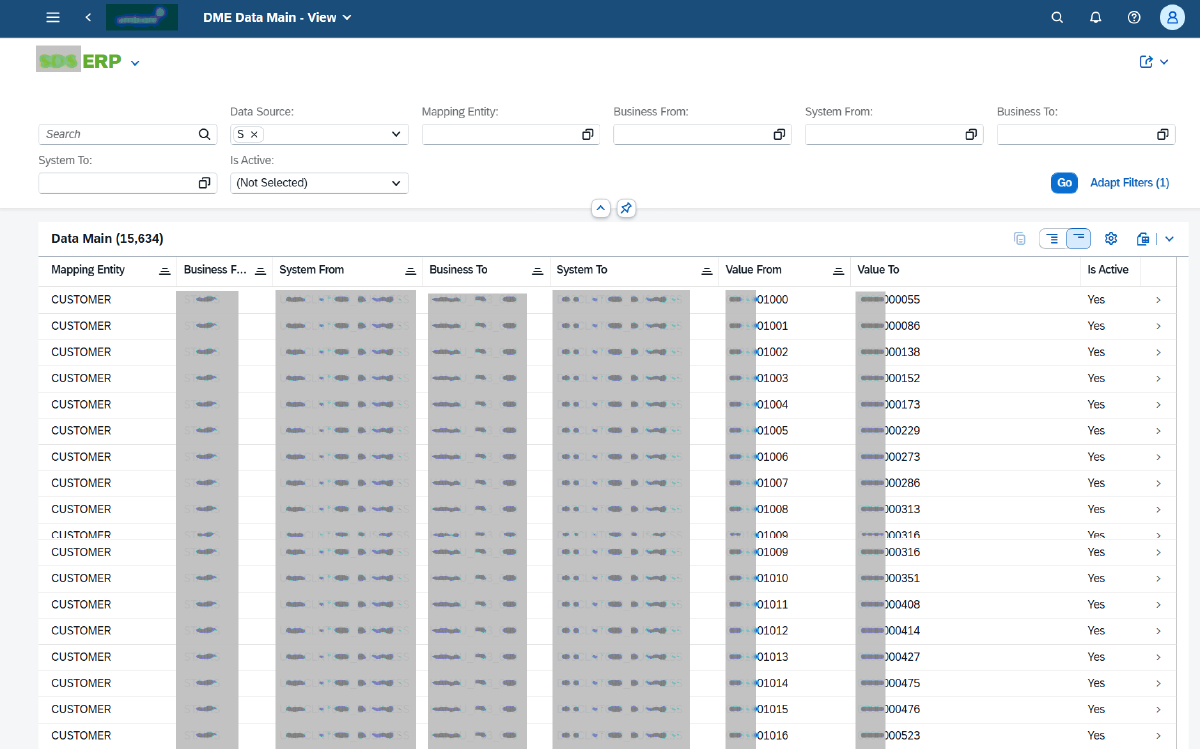
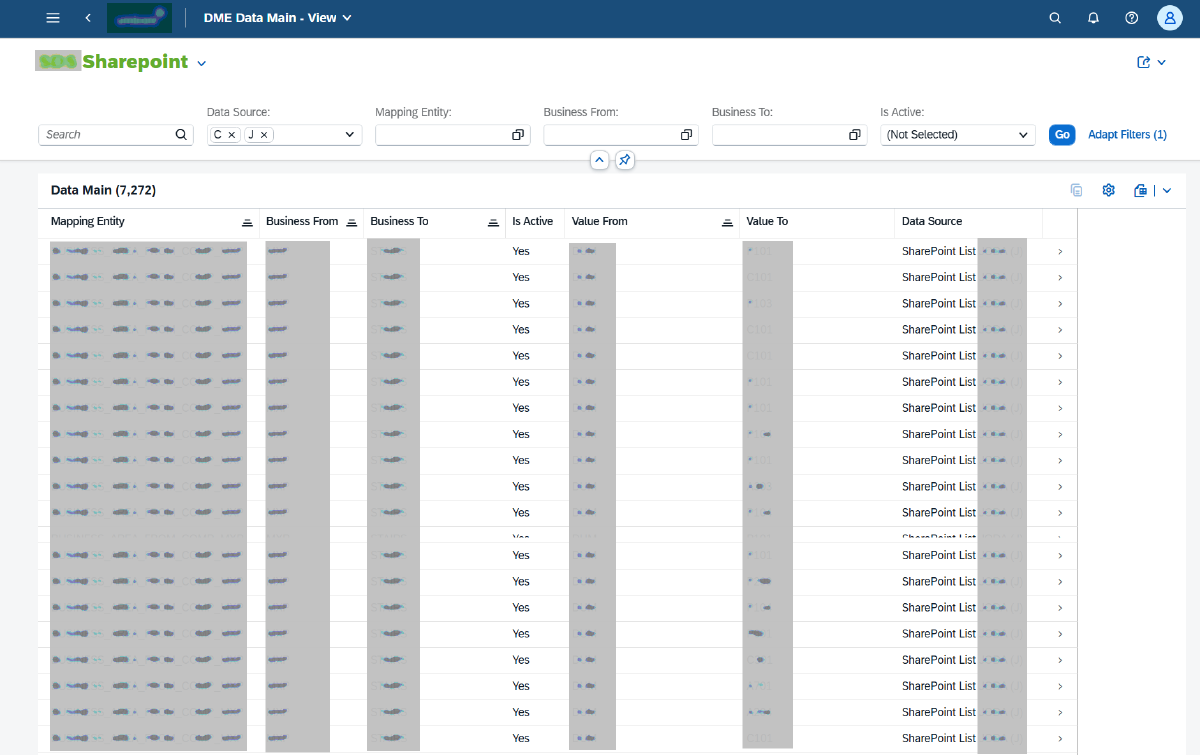
- Data source types: Three data source implementations are currently supported — SharePoint Lists (business-maintained value tables), SAP ERP backends (via Cloud Connector for system-of-record values), and manual data entry via a dedicated Fiori maintenance app. Backend data sources support multiple systems simultaneously, allowing extraction from development, test, quality and production environments in a single run. During data synchronisation, records can optionally be duplicated for the reverse direction (swapping source and target system), simplifying maintenance when both directions are needed.
- Default mapping type: The built-in mapping type uses the data source framework to resolve values — the engine looks up the incoming value against data extracted and stored from the configured data source for that mapping context.
- Custom mapping classes: For special cases where the default handler is insufficient, a mapping type can be backed by a custom ABAP class containing bespoke mapping logic. This keeps the framework open for any scenario while the standard out-of-the-box handler covers the majority of use cases.
- Role-based access: Custom ABAP Cloud business roles control access across the framework, supporting distinct roles for administrators, configuration maintainers, developers and support users — each with appropriate access to the relevant applications and data.
- API-first design: The engine exposes a SOAP API consumed by SAP CPI and other integration systems via communication arrangements, keeping the mapping logic centralised in ABAP Cloud.
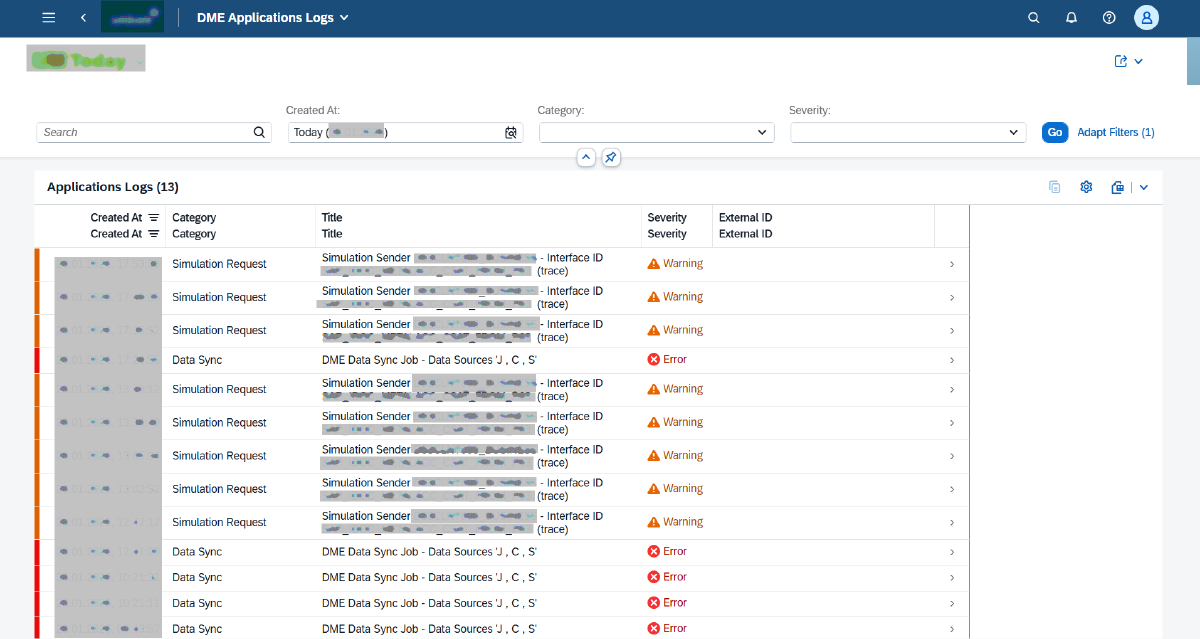
- Audit trail: All DME activities are logged to the standard ABAP application log — including mapping requests, data source extraction runs and simulator/compare requests. Logs can be consulted via the standard application log viewer, providing full traceability across all framework operations.
Applications
- Business Customizing — all DME configuration maintained via the standard SAP Business Customizing app, including mapping entities, interface identifiers, mapping rules, attribute rules, conditions and data source definitions
- Data Source Data Viewers — dedicated Fiori viewer apps for mapping entity, mapping configuration and mapping attributes data, each supporting filtering by data source type, interface identifier, source and target business system, and free-text search
- Data Source Manual Data Maintenance — Fiori app for direct maintenance of mapping values when using the manual data source type
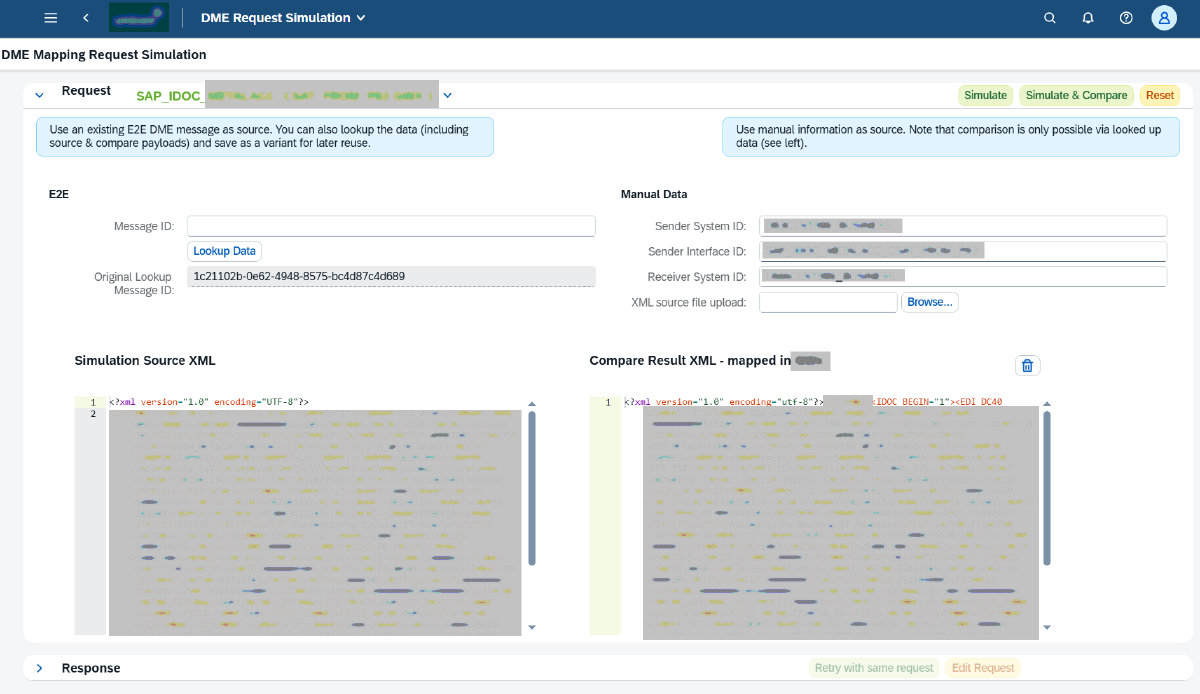
- DME Requests Simulator — custom Fiori app to simulate and compare Data Mapping Engine requests. Allows testing of mapping results against a given XML input, making it easy to identify the impact of configuration or XML content changes. Results can be compared against previously stored outputs, with color-coded visual highlighting of differences between the two result XML messages. Includes detailed tracing showing which mapping rules, mapping entities and mapping attributes were applied during resolution.
- Usage Log - Fiori app to display the DME requests usage statistics
- Application Log — all DME activities consultable via the standard ABAP application log viewer, including mapping requests, data source extraction runs and simulator requests
Technologies Used
- RAP (RESTful Application Programming) — modern ABAP framework for business object and API development
- CDS Views — Core Data Services for data modeling and query exposure
- ABAP OO — object-oriented design for mapping engine logic and XML processing
- OData V4 — API exposure for Fiori UI applications
- SOAP — API exposure for runtime consumption by SAP CPI and integration systems
- SAP Fiori Elements — auto-generated maintenance and log UIs using SAP Fiori floorplans
- SAP Business Customizing — standard customizing framework for mapping rule maintenance
- ABAP XML Libraries — XML parsing and value extraction from message payloads
- SharePoint REST API — data extraction from SharePoint Lists as a data source
- ABAP Cloud Business Roles — custom roles defined for administrators, configuration maintainers, developers and support users
- SAP Cloud Connector — connectivity to SAP ERP backends for data source extraction
- ABAP Cloud — clean core development approach
Used Tools
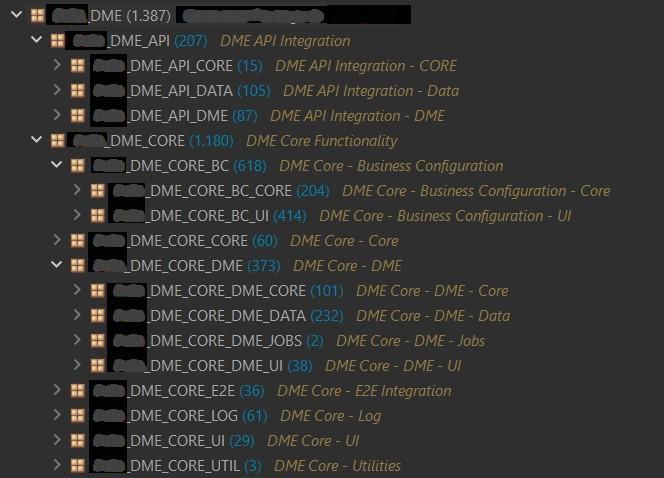
- Eclipse ABAP Development Toolkit for ABAP Cloud development
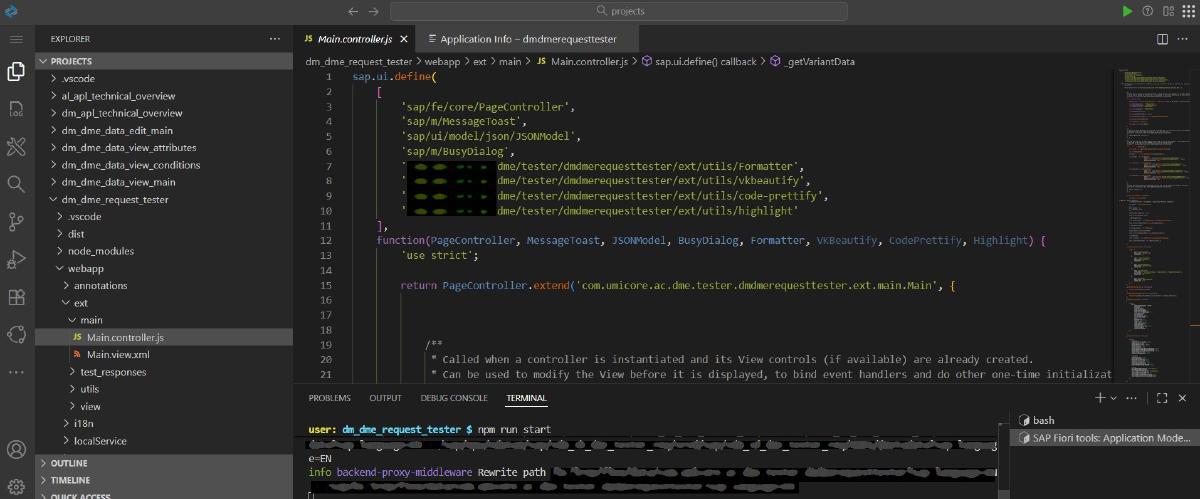
- SAP Business Application Studio for Fiori app generation and custom Fiori app development
- POSTMAN for OData API testing and mapping lookup validation
- ABAP Cloud Management for communication arrangement setup
- SAP BTP Cloud Management for subaccount and destination configuration
Development Team
My Role(s)
- Lead Developer (full stack)
- Technical Architect
- Technical Specs
- Documentation
Members
- Only me
Project Gallery
Images have been redacted for client confidentiality and data protection.
Technologies Used
All showcased content, designs, and solutions remain the intellectual property of the respective clients. For any copyright inquiries, please contact us.